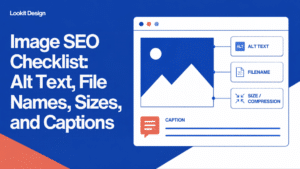
Image SEO means making every photo and graphic on your site easy for search engines to understand and fast for visitors to load. In practice, that comes down to four things: descriptive alt text, sensible file names, properly sized files, and captions where they add context.
None of this is complicated. Most small business sites simply have years of images uploaded in a hurry, with names like IMG_4472.jpg and no alt text at all. This checklist walks you through what to fix, in what order, and when it makes sense to get help.
Why a Checklist Beats Fixing Images One at a Time
Images pile up quickly. Blog posts, product pages, team photos, and old homepage sliders all leave files behind in your media library. If you fix them whenever you happen to notice a problem, you’ll miss most of them. A checklist gives you a repeatable standard. You can apply it to every new upload going forward and work through your existing library in batches. It also makes the job easier to hand off. Anyone on your team can follow the same steps and get the same result. Consistency matters here. Search engines and AI-powered search tools rely on clear signals across your whole site, not just on one well-optimized page. Accessible images also help visitors who use screen readers, which is good for your customers and your reputation.The Image SEO Checklist: Eight Things to Check on Every Image
Use this list for every new image you upload. Then use it to review the images already on your most important pages.- Write descriptive alt text. Alt text describes the image for people who can’t see it and for search engines. Be specific and brief. “Baker shaping sourdough loaves at our Brooklyn bakery” is useful. “Bread” is too vague, and “bakery bread sourdough best bakery Brooklyn” is keyword stuffing.
- Leave decorative images empty. Purely decorative images, like background textures or divider lines, should have empty alt text so screen readers skip them. Not every image needs a description.
- Rename files before you upload. Use short, lowercase, hyphenated names that describe the image, such as sourdough-loaves-brooklyn-bakery.jpg. Renaming before upload is far easier than fixing file names later, which can break links.
- Resize to the size you actually display. A photo straight off a phone or camera is often much larger than your page needs. Resize it to roughly the largest width it will appear on your site before uploading.
- Compress and use modern formats. Compression shrinks file size without visible quality loss. Modern formats like WebP usually load faster than older JPEG and PNG files. Many WordPress setups can convert images automatically.
- Add captions where they help. Captions are visible text under an image, and readers tend to notice them. Use them to add context, credit a photographer, or explain a chart. Skip them when they would just repeat the alt text.
- Place images near relevant text. Search engines use the surrounding words to understand an image. A photo of your storefront belongs near your address and hours, not in a random sidebar.
- Check how images load on mobile. Make sure images aren’t stretched, cropped awkwardly, or pushing content around as the page loads. Lazy loading for images further down the page can help pages feel faster.
How to Prioritize the Image Problems You Find
Once you start looking, you may find hundreds of images that need attention. Don’t try to fix everything at once. Work in this order instead.- Start with your highest-traffic pages. Your homepage, top service or product pages, and most-visited blog posts deliver the biggest return. Your analytics will show you which pages these are.
- Fix missing alt text next. Missing alt text affects both accessibility and search visibility, so it’s usually the most valuable fix after page priority.
- Tackle oversized files that slow pages down. One huge image can drag down an otherwise fast page. Look for files that are much larger than the others in your library.
- Clean up file names on new uploads first. Renaming old files can break links if it’s done carelessly. It’s usually smarter to get new uploads right and rename older files only on key pages.
- Add captions last. Captions are helpful but rarely urgent. Add them as you update content.
When to Bring in Help With Image Optimization
Many business owners can handle the checklist above on their own, especially on a small site. But some situations are worth handing off. Your media library is large. If you have hundreds or thousands of images, writing alt text one by one can take weeks. That’s time you’d rather spend running your business. Your site is slow and you don’t know why. Image size is a common cause, but not the only one. A professional review can sort out whether the problem is images, hosting, plugins, or something else. You’re concerned about accessibility. Alt text is one part of making a site usable for people with disabilities. If accessibility is a priority for your organization, a broader audit is a better starting point than fixing images alone. You’re redesigning or migrating your site. A redesign is the best time to fix file names, formats, and sizes, because pages are already being rebuilt. At Lookit, this is everyday work for us. We use our own tool, Lookit Media Master, to draft alt text, captions, and image descriptions with AI across an entire media library. Every suggestion then gets reviewed by a person before it goes live. That way you get the speed of automation without generic or inaccurate descriptions slipping onto your site. [ADD: example of the scale of a typical media library cleanup, such as average number of images reviewed per site]Frequently Asked Questions About Image SEO
Does alt text actually help SEO?
Yes. Alt text is one of the main ways search engines understand what an image shows, which helps your images appear in image search results. It also makes your site accessible to people using screen readers, so it does two jobs at once.How long should alt text be?
Keep it to a short sentence, typically about 125 characters or fewer. Describe what’s in the image and why it matters on that page. Avoid starting with “image of” or “picture of,” since screen readers already announce that it’s an image.What is the best image format for websites?
WebP is a strong default for most photos and graphics because it usually produces smaller files than JPEG or PNG at similar quality. Use SVG for simple logos and icons. Most modern browsers support WebP, and many WordPress setups can convert images for you.Is AI-generated alt text good enough?
AI can produce a solid first draft quickly, which is a big help for large libraries. But it can misidentify people, products, or locations, and it doesn’t know your business context. A quick human review is the step that makes AI-drafted alt text trustworthy.Talk to Lookit About Getting Your Images in Shape
Good image SEO is steady, practical work: clear descriptions, sensible file names, right-sized files, and captions where they help. If you’d like a team that has managed WordPress sites since 2004 to handle it with Lookit Media Master and careful human review, get in touch with our team. We’ll help you figure out where to start.
Share This