Your website is AI-ready when AI search tools like Google’s AI Overviews, ChatGPT and Perplexity can easily find, understand and trust your content enough to cite it. For nonprofits, AI search readiness comes down to clear answers, solid technical basics and up-to-date information about who you are and what you do.
The good news is that most of this work overlaps with good SEO and good accessibility. You don’t need to start over. You need a clear list and a sensible order of operations.
Why a Checklist Works Better Than Guesswork for AI Search
AI search is changing quickly, and it’s easy to get pulled in ten directions by headlines and vendor pitches. A checklist keeps your team focused on the things that matter most and that you can actually control.
For a small nonprofit staff, a checklist also makes the work shareable. Your communications lead can own content items, your volunteer web person can handle technical items, and leadership can see progress at a glance.
Most important, a checklist gives you a baseline. Once you know where your site stands today, you can measure whether changes are helping when donors, volunteers and the people you serve ask AI tools about your cause.
The AI Search Readiness Checklist for Nonprofit Websites
Work through these items page by page, starting with your homepage, About page, programs pages and donation page. Those are the pages AI tools are most likely to pull from when someone asks about your organization.
Content and clarity
- Answer the obvious question first. Each key page should open with a plain, one- or two-sentence answer to what the page is about. “We provide free tax preparation for low-income families in Queens” is far more useful to an AI tool than a mission statement full of abstract language.
- State the facts AI tools look for. Your organization’s full name, what you do, who you serve, where you operate and how to get involved should be easy to find in plain text, not buried in images or PDFs.
- Use descriptive headings. Headings like “Who Is Eligible for Our Food Pantry” help both people and machines understand the structure of a page. Vague headings like “Learn More” don’t.
- Add a real FAQ section. Write down the questions your staff answers by phone and email every week, and answer them on your site in short, direct paragraphs.
- Keep information current. Outdated program details, old event dates and former staff bios can lead AI tools to repeat wrong information. Review key pages on a regular schedule.
Trust and credibility signals
- Make your About page complete. Include your history, leadership, board and how to contact you. Clear ownership and accountability help establish credibility.
- Show who wrote your content. Blog posts and resources should include an author name and, where relevant, a short note about their expertise.
- Keep your name, address and phone number consistent. Make sure your details match across your website, Google Business Profile and nonprofit directories.
Technical basics
- Make sure your pages can be crawled. Check that important pages aren’t accidentally blocked from search engines and that your site has an up-to-date XML sitemap.
- Decide how you want to handle AI crawlers. Your site’s robots.txt file can allow or block specific AI bots. Many nonprofits want to be found, but this is a choice your team should make on purpose, not by accident.
- Add structured data. Schema markup for your organization, events and FAQs tells machines exactly what your content represents.
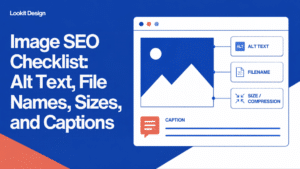
- Write meaningful alt text. Describe images of your programs, events and community in plain words. This helps AI tools and, more importantly, people using screen readers.
- Check page speed and mobile layout. Slow or broken pages are harder to crawl and frustrating for visitors.
- Fix broken links and redirects. Old URLs that lead nowhere waste the trust your site has built over the years.
How to Prioritize What You Find
Running through this checklist will likely turn up more issues than you can fix in a week. That’s normal. Here’s a simple way to decide what comes first.
- Fix anything that blocks access. If key pages are hidden from crawlers or broken, nothing else matters until that’s resolved.
- Correct wrong information next. Outdated hours, closed programs or incorrect eligibility details can cause real harm to the people you serve if AI tools repeat them.
- Strengthen your most important pages. Focus on your homepage, About page, top programs and donation page before working through older blog posts.
- Then work on polish. Structured data, FAQ additions and alt text improvements build steadily over time.
Think of AI search readiness as ongoing upkeep, not a one-time project. A short monthly review of your top pages will do more than a big overhaul once every few years.
At Lookit, this is exactly the kind of work we use Lookit SEO Copilot for. Its AI Readiness check scans a WordPress site for the signals AI search tools rely on, and its SEO health audits, bulk editing and redirect tools let us fix issues across many pages at once instead of one by one. That’s what makes regular reviews practical for busy nonprofit teams.
When to Bring In Help With AI Search
Many items on this list are well within reach for a nonprofit communications team. Writing clear page intros, updating your About page and adding FAQs are content tasks your staff already understands better than anyone.
It may be time to bring in help if:
- Your site has hundreds of pages and you don’t know where to start.
- You’re unsure whether your site is blocking search engines or AI crawlers.
- Structured data, sitemaps or redirects feel outside your team’s comfort zone.
- You’re planning a redesign or migration and want to protect the search visibility you already have.
- You want accessibility and SEO handled together, since they share so much ground.
A good partner should explain what they find in plain language, show you what’s fixed and leave your team more confident, not more dependent.
Frequently Asked Questions About AI Search Readiness
What is AI search readiness?
AI search readiness is how well your website can be found, understood and cited by AI-powered search tools. It combines clear, accurate content with technical basics like crawlability, structured data and accessible design. A ready site gives AI tools what they need to describe your organization correctly.
Is optimizing for AI search different from regular SEO?
There’s a lot of overlap. Clear content, a well-organized site and solid technical health help with both traditional search and AI search. AI tools tend to reward pages that answer questions directly and present facts in a clear, structured way.
Should my nonprofit block AI crawlers?
It depends on your goals. Blocking AI crawlers may reduce the chance that AI tools reference your content, which can matter if you want people to discover your programs. Talk it through with your team and decide based on your mission and content.
How often should we review our website for AI search?
A light review of your most important pages every month or two is a good habit, along with a fuller audit once or twice a year. Review any time your programs, locations or contact details change. Keeping information current is one of the simplest ways to stay visible and accurate.
Talk to Lookit About SEO Copilot and Your Site’s AI Readiness
Lookit has been building and caring for WordPress sites since 2004, and we work with nonprofits every day on search, accessibility and content. If you’d like a clear picture of where your site stands and a practical plan to improve it, get in touch with our team.