ADA website compliance means making sure people with disabilities can use your website, including people who rely on screen readers, keyboards, captions, or magnification. For most small businesses, the practical way to get there is to follow the Web Content Accessibility Guidelines (WCAG) 2.1 at the AA level and keep checking your site as it changes.
That is the short version. Below, we explain what the law and the guidelines actually ask for, why it matters even if you run a small shop, and what to do first.
The Short Answer: Your Website Should Work for Everyone
The Americans with Disabilities Act (ADA) is a civil rights law. It requires businesses that serve the public to give people with disabilities equal access to their goods and services. The U.S. Department of Justice has said that this applies to websites as well as physical locations.
The ADA itself does not spell out technical rules for websites. In practice, WCAG 2.1 AA has become the benchmark that businesses, courts, and accessibility professionals use to judge whether a site is accessible. If your site meets that standard and you keep it that way, you are in a much stronger position.
How Website Accessibility Works in Practice
WCAG is built on four ideas. A website should be:
- Perceivable: People can see or hear the content in some form. Images have text descriptions, videos have captions, and text has enough contrast against its background.
- Operable: People can use the site without a mouse. Menus, buttons, and forms work with a keyboard, and nothing traps or rushes the visitor.
- Understandable: Content and navigation are clear and predictable. Form errors explain what went wrong and how to fix it.
- Robust: The site is built cleanly enough that assistive technology, like screen readers, can interpret it correctly.
Most accessibility problems are not exotic. They are everyday things: a photo with no alt text, a button labeled only with an icon, light gray text on a white background, a contact form whose fields have no labels, or a pop-up that a keyboard user cannot close.
On WordPress sites, many of these issues come from page builders and themes. A layout can look great to a sighted mouse user while producing code that a screen reader cannot make sense of. That is why accessibility has to be checked in the actual code, not just by looking at the page.
Why ADA Website Compliance Matters for Small Businesses
It is easy to assume accessibility is a big-company concern. It is not. Here is why it matters for smaller organizations too.
Legal exposure is real. Website accessibility lawsuits and demand letters are not limited to large brands. Small businesses, restaurants, retailers, and service providers have all been targeted. Having no plan in place makes a business an easier target.
You are turning away customers. People with disabilities, older adults, and anyone with a temporary injury or a cracked phone screen all benefit from an accessible site. If they cannot book an appointment or complete a purchase, they will go somewhere else.
Accessibility and SEO overlap. Clear headings, descriptive link text, alt text on images, and clean page structure help search engines and AI tools understand your content. Work you do for accessibility often supports your visibility in search as well.
It reflects your values. Customers notice when a business makes the effort to include everyone. An accessible website is part of good service, the same as a ramp at your front door.
Common Misconceptions About Website Accessibility
“An accessibility plugin or overlay will make us compliant.” Widgets that add a toolbar or claim to fix a site automatically do not repair the underlying code. Many accessibility advocates and users with disabilities find them unhelpful, and they do not replace real fixes.
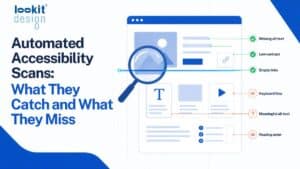
“We passed an automated scan, so we’re done.” Automated tools are a valuable starting point, but they cannot catch everything. Whether alt text is actually meaningful, or whether a page makes sense with a screen reader, still takes human judgment.
“Accessibility is a one-time project.” Every new page, blog post, image, plugin update, or design change can introduce new issues. Accessibility needs ongoing attention, just like security and backups.
“Accessible sites have to look plain.” Good design and accessibility work well together. Strong contrast, readable type, and clear layouts tend to make a site better for everyone.
“Our audience doesn’t include people with disabilities.” Disability is common, and many disabilities are not visible. You cannot know who is visiting your site, and you do not want to find out by losing a customer.
What to Do Next: A Practical Starting Plan
You do not have to fix everything at once. A steady, documented approach is what counts. Here is a sensible order of operations:
- Run an audit against WCAG 2.1 AA. Start with an automated scan to find the most common issues, then have someone review key pages manually.
- Prioritize your most important pages. Focus first on your home page, contact and booking pages, checkout, and any forms. These are where blocked visitors cost you the most.
- Fix images and media. Add meaningful alt text to images that convey information, and add captions to videos.
- Test with a keyboard. Put your mouse aside and try to navigate your site using only the Tab, Enter, and arrow keys. Note anywhere you get stuck.
- Check color contrast and text size. Make sure text is easy to read against its background and that the page still works when zoomed in.
- Label your forms clearly. Every field should have a visible label, and error messages should explain how to fix the problem.
- Publish an accessibility statement. Explain your commitment, the standard you are working toward, and how visitors can reach you if they run into a problem.
- Keep monitoring. Schedule regular rechecks and train whoever updates your site on the basics, so new content stays accessible.
How Lookit approaches accessibility
Accessibility is part of the compliance work we do for the WordPress sites we build and manage. Because so many issues start inside page builders, we built Lookit Accessibility Audit to scan sites for WCAG 2.1 AA issues and trace each one back to the specific page-builder element that caused it. That makes fixes faster and more precise.
For images, Lookit Media Master drafts alt text, captions, and descriptions with AI, and a person reviews them before they go live. And because a site update can quietly break a layout, Lookit Page Watch takes scheduled screenshots so problems are caught early. Together, these tools help us keep ADA website compliance an ongoing practice rather than a one-time cleanup.
Frequently Asked Questions
Is ADA website compliance required for small businesses?
If your business serves the public, the ADA’s equal access requirements generally apply, and the Department of Justice has said that includes websites. The law does not exempt businesses based on size alone. Following WCAG 2.1 AA is the most widely accepted way to show you are taking accessibility seriously.
What is WCAG 2.1 AA?
WCAG stands for Web Content Accessibility Guidelines, a set of standards published by the World Wide Web Consortium. Level AA is the middle tier and the one most commonly used as a benchmark for websites. It covers things like text alternatives, keyboard access, color contrast, and clear navigation.
Can an accessibility widget or overlay make my site compliant?
Not on its own. Overlays add a layer on top of your site but do not fix problems in the underlying code, and many users with disabilities find them get in the way. Real accessibility comes from fixing the site itself.
How often should I check my website for accessibility issues?
Check whenever you make significant changes, such as a redesign, new plugin, or new template, and on a regular schedule in between. Ongoing monitoring catches issues that new content and updates introduce. Accessibility works best as a routine, not a one-time task.
This article is general information, not legal advice.
Talk to Lookit About ADA & Accessibility Compliance
Lookit has been building and managing WordPress sites in Brooklyn since 2004. If you want a clear picture of where your site stands and a practical plan for ADA website compliance, get in touch with our team.